

As organizations increasingly move toward infrastructure-as-code, securing cloud resources with fine-grained access becomes essential. In this article, we’ll explore how to secure an Elastic Cloud deployment using Terraform by managing Role-Based Access Control (RBAC) and API keys, which are all fully automated.
We’ll provision:
- An Elastic Cloud deployment with Kibana and Enterprise Search.
- A secure API key with fine-grained access using a custom role.
- Terraform-managed configuration with clean and reusable code.

Why This Matters
While spinning up an Elastic Cloud deployment is straightforward, securing access and managing roles consistently across environments can be tricky. Terraform allows us to version-control and automate security configs, making deployments both reproducible and secure.
Project Structure
Project Structure looks like:
.
├── main.tf
├── state.tf
├── provider.tf
├── variables.tf
└── terraform.tfvars
1. Provider Setup
In provider.tf, we define both the Elastic Cloud and Elastic Stack providers. This connects Terraform to the right APIs.
terraform {
  required_providers {
    ec = {
      source  = "elastic/ec"
      version = "~> 0.12.2"
    }
    elasticstack = {
      source  = "elastic/elasticstack"
      version = "~> 0.11.4"
    }
  }
}

provider "ec" {
  apikey = var.elastic_api_key
}

provider "elasticstack" {
  elasticsearch {
    username  = "elastic"
    password  = var.elasticsearch_password
    endpoints = [ec_deployment.elasticsearch.elasticsearch.https_endpoint]
  }
}
2. Provision Elastic Cloud Deployment
We define the deployment in state.tf. It includes an Elasticsearch cluster with a hot tier, Kibana, and Enterprise Search.
resource "ec_deployment" "elasticsearch" {
  name                   = "rahulranjan"
  region                 = "gcp-us-central1"
  version                = "8.17.3"
  deployment_template_id = "gcp-storage-optimized"

  elasticsearch = {
    hot = {
      size        = "4g"
      zone_count  = 2
      autoscaling = {}
    }
  }

kibana = {
    size       = "1g"
    zone_count = 1
  }

  enterprise_search = {
    size       = "2g"
    zone_count = 1
  }
}
3. Secure Access with API Key
In main.tfWe generate an API key using a custom role with full cluster and index operations access.
resource "elasticstack_elasticsearch_security_api_key" "api_key" {
  depends_on = [ec_deployment.elasticsearch]
  name       = "terraform-api-key"

  role_descriptors = jsonencode({
    "custom-role" = {
      cluster = ["all"]
      index = [{
        names      = ["*"]
        privileges = ["all"]
      }]
    }
  })
}
This ensures we can securely authenticate without using the elastic Superuser credentials in the long term.
4. Secure Variables
In variables.tfWe declare sensitive variables for storing credentials:
variable "elastic_api_key" {
  description = "API key for Elastic Cloud"
  type        = string
  sensitive   = true
}

variable "elasticsearch_password" {
  description = "Password for the elastic user"
  type        = string
  sensitive   = true
}
These values are passed through terraform.tfvars:
elastic_api_key        = "your-ec-api-key-here"
elasticsearch_password = "your-elastic-password-here"
Don't commit terraform.tfvars to version control.
To apply your secure configuration:
terraform init
terraform plan
terraform apply
Once applied, Terraform provisions your Elastic Cloud deployment and generates a secure API key with scoped access.
Optional Enhancements
You can extend this setup with:
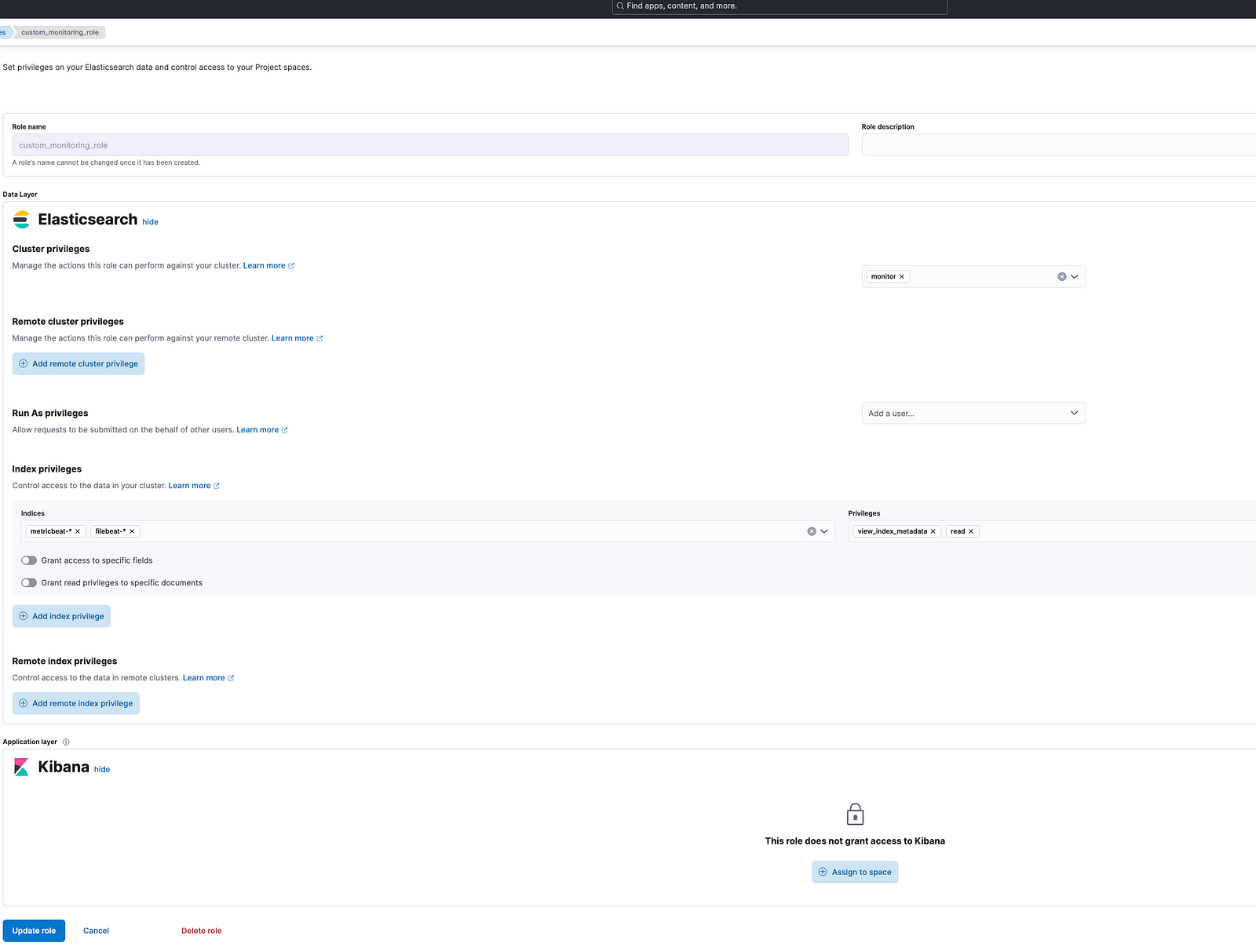
- Monitoring roles for observability use cases.
- Audit logging configurations.
- Dashboards or alert rules created via Elastic’s Saved Objects API.
- Outputting secrets to Vault or Secrets Manager.
Conclusion
Using Terraform to manage RBAC and API keys in Elastic Cloud offers massive benefits in automation, repeatability, and security. You eliminate manual errors, ensure consistent roles across environments, and streamline developer onboarding.
The project code is available on my GitHub.
Related Article:
#otel #docker #kubernetes #devops #elasticsearch #observability #search #apm #APM #grafana #datadog #terraform
Reach out on LinkedIn for any questions or




 Tech Insights & Blogs by Rahul Ranjan
Leave a comment